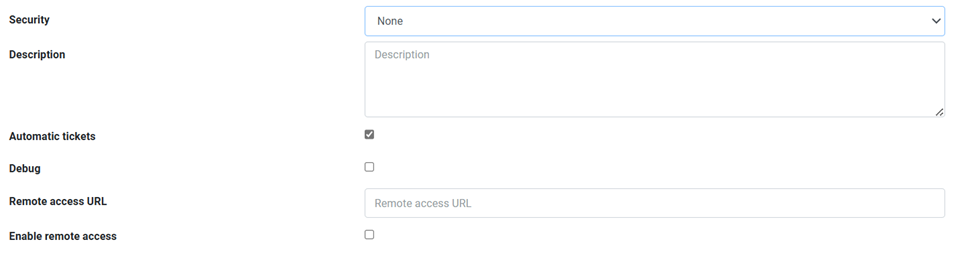
Communication between charging stations and the Charge Point Operator (CPO) is established via the WebSocket protocol at:
ws://ws.evc-net.com— for standard connectionsws://ws-private.evc-net.com— for charge points connected via our private VPN SIM card
Note: By default, OCPP websockets are not encrypted and provide no way for authenticating a chargepoint.
To strengthen security and ensure trusted communication, we recommend:
- Upgrading WS to WSS
- Using basic authentication
- Using root certification for verification
Different profiles to ensure secured connections
Security profile: Basic authentication over HTTP/WS (mandatory)
- Open the charger dashboard at data of http://evc-net.com .
- Set security profile 2/ to “Basic authentication over HTTP/WS” .
- Input the security data as CHARGERBOXID : Base 64 character or Ascii values and save.

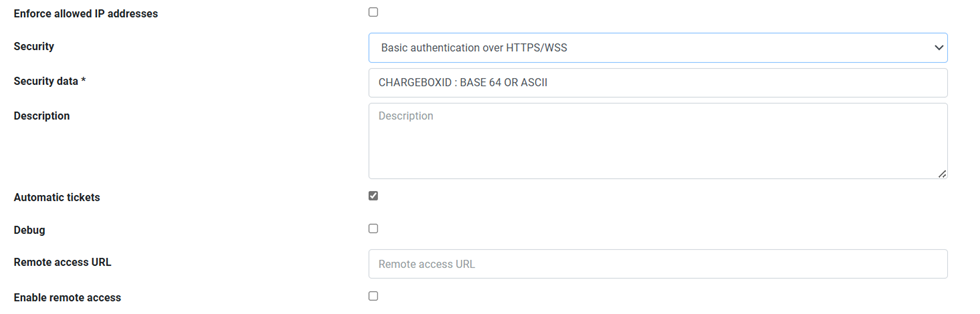
Security profile: Basic authentication over HTTPS/WWS (recommended)
- Open the charger dashboard at data of http://evc-net.com.
- Set up the security profile to 3/ “Basic authentication over HTTPS/WWS”.
- Input the security data as CHARGERBOXID : Base 64 character or Ascii values and save.
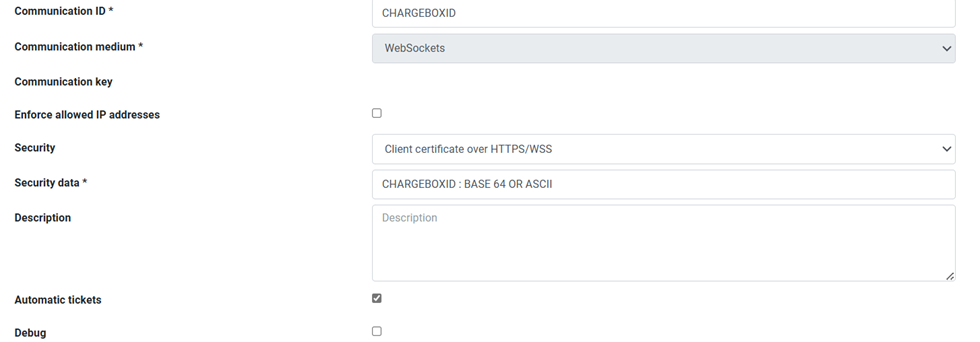
Security profile: Client certificate over HTTPS/WWS
- Open the charger dashboard at data of http://evc-net.com .
- Set security profile to 4/ Client certificate over HTTPS/WWS” .With this case the charge point needs to get a signed certificate authorization from LMS back end but the charger needs to also have a root certificate for verification.
- Input the security data as CHARGERBOXID : Base 64 character or Ascii values and save.
Security profile: None
- Open the charger dashboard at data of http://evc-net.com .
- Set the security profile 1/none for no Authentications.