
Direct Payment allows for ad-hoc payments using open-loop payment methods through two channels:
- Scanning a QR code on the charge station (Web App) – available on both public and semi-public chargers (unpublished locations).
- Using the ECQ App developed by LMS.
Supported Payment Methods
Global Payment Methods:
- Visa
- Mastercard
- AMEX
Local Payment Methods:
- Bancontact (Belgium)
- Bancontact by Payconiq App (Belgium)
- Blik (Poland)
- iDeal (Netherlands)
Supported Currencies:
- EUR
- PLN
1. Enabling Direct Payment on a Public Charger
To enable Direct Payment on a public charger, follow these steps:
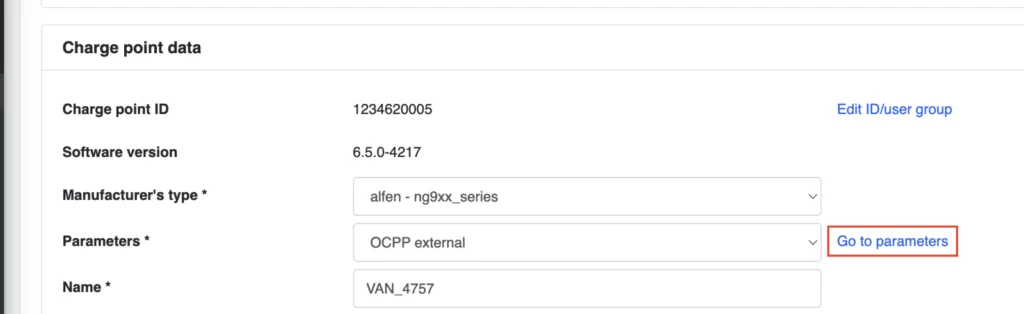
- Navigate to the Charge point detail page in EVC-net.
- Click on Go to parameters
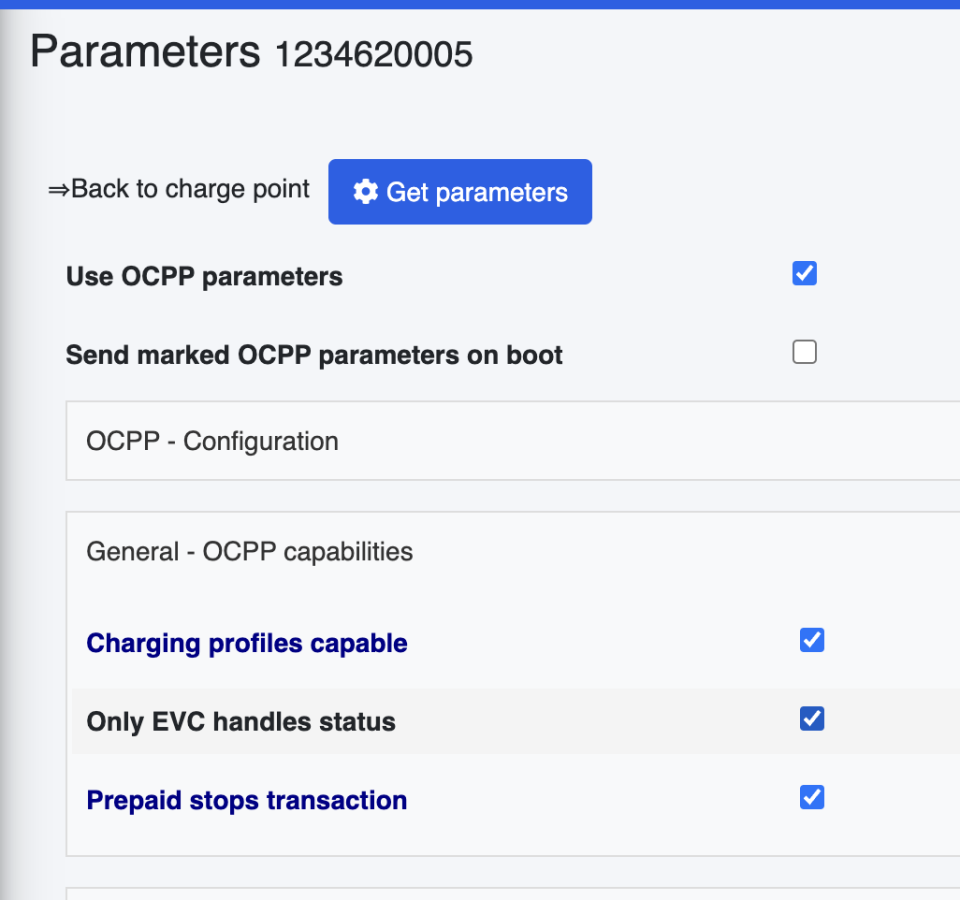
- Enable the following three OCPP parameters under the OCPP parameter section:
2. Enabling Direct Payment on a Semi-Public Charger
To enable Direct Payment on a semi-public charger (unpublished location), follow these steps:
- Enable all OCPP parameters as mentioned in the public charger setup.
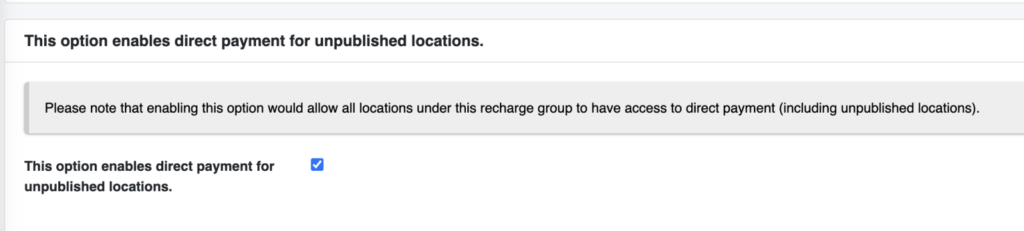
- Navigate to the Charge Group page where the semi-public charger is assigned.
- Enable the Direct Payment option under the Charge Group settings.
Once these configurations are completed, Direct Payment will be available for the designated chargers.